 MixSift
Leave space for your own bass
For bass performance practice, the useful result is accompaniment with the recorded Bass part removed or reduced. That is different from isolating Bass to learn it. Start with a completed four-stem project; the shared local-file setup explains how to create one.
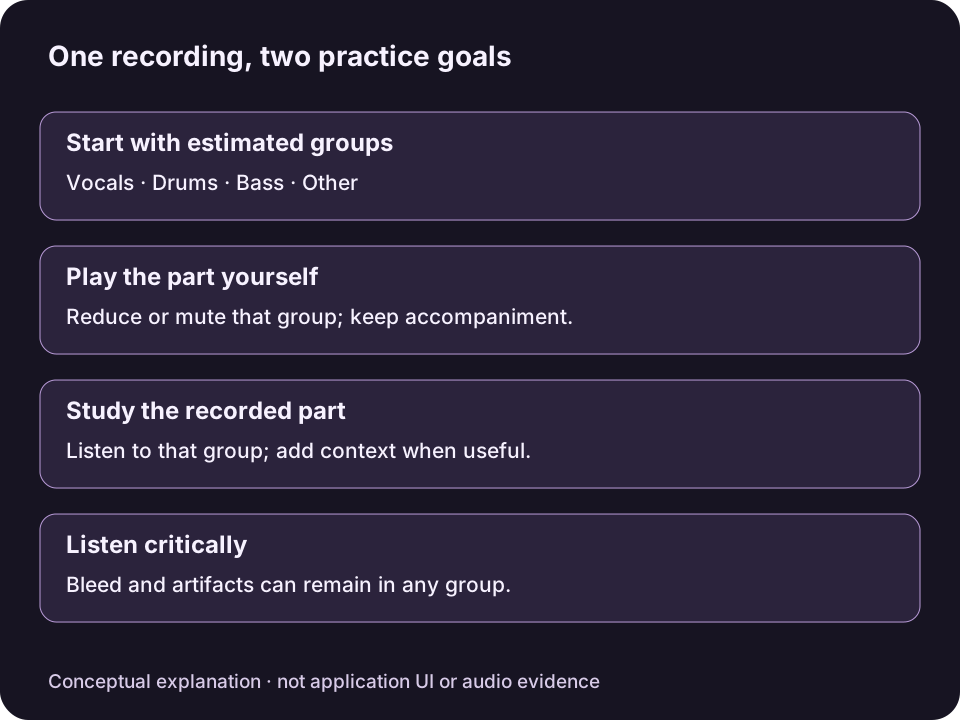
Original conceptual diagram, not MixSift UI or an audio result. Separation can leave bleed; a quiet group is not proof that its instrument is absent elsewhere.View full-size diagram ↗
MixSift estimates Vocals, Drums, Bass and Other. The Bass group is not a guaranteed clean bass-guitar recording, and low-frequency sounds can remain in other groups.
Keep the band, reduce the recorded bass
Choose Play Bass — No Bass in Practice Mix. Apply it before fine-tuning: the preset replaces all current Level, Mute and Solo settings.
Select Play Mix. Check that Drums and Other provide the pulse and harmony you want, and that no temporary Solo excludes them. Keep Vocals if they help you follow the arrangement.
If you need a quiet reference line, unmute Bass and lower its Level. To remove that stem entirely, keep Bass muted. Adjust the accompaniment so you can hear your own playing.
Use Level within −60 to 0 dB. If one part needs to stand out, reduce competing parts; the control does not boost above 0 dB. Avoid muting Drums merely because kick and bass occupy a similar range: you may lose the timing reference you need.
Check where low notes remain
Listen to passages where bass and kick coincide and to sections where the arrangement changes. If low notes remain, Solo the other stems briefly to find them, then clear Solo. Reducing Other may also reduce chords and texture. Decide whether that tradeoff helps your practice rather than assuming every low sound belongs to Bass.
To compare the original bass phrasing before removing it, use the bass-line study guide.
Keep a reusable rehearsal file
Open Export Mix… and confirm whether Bass is muted or included at a quieter level. Check the other included parts and destination.
Choose WAV, AIFF or FLAC and confirm Export Mix. The saved full song uses that Level, Mute and Solo snapshot; Master Volume and metronome are excluded.
Listen to the file in your rehearsal player. Later mixer edits do not revise it. Export another version if you want a different amount of guide bass.
A stemless-sounding backing is not guaranteed. No bass performance, measured result or listening test is claimed for this article.