 MixSift
Keep a reference part without letting it dominate
A completely removed part is not always the best practice aid. A quieter vocal can cue an entrance; a reduced Bass part can guide a difficult phrase. Use Level when you want less of an estimated group while keeping it audible. Start with a completed project; the shared preparation workflow covers separation.
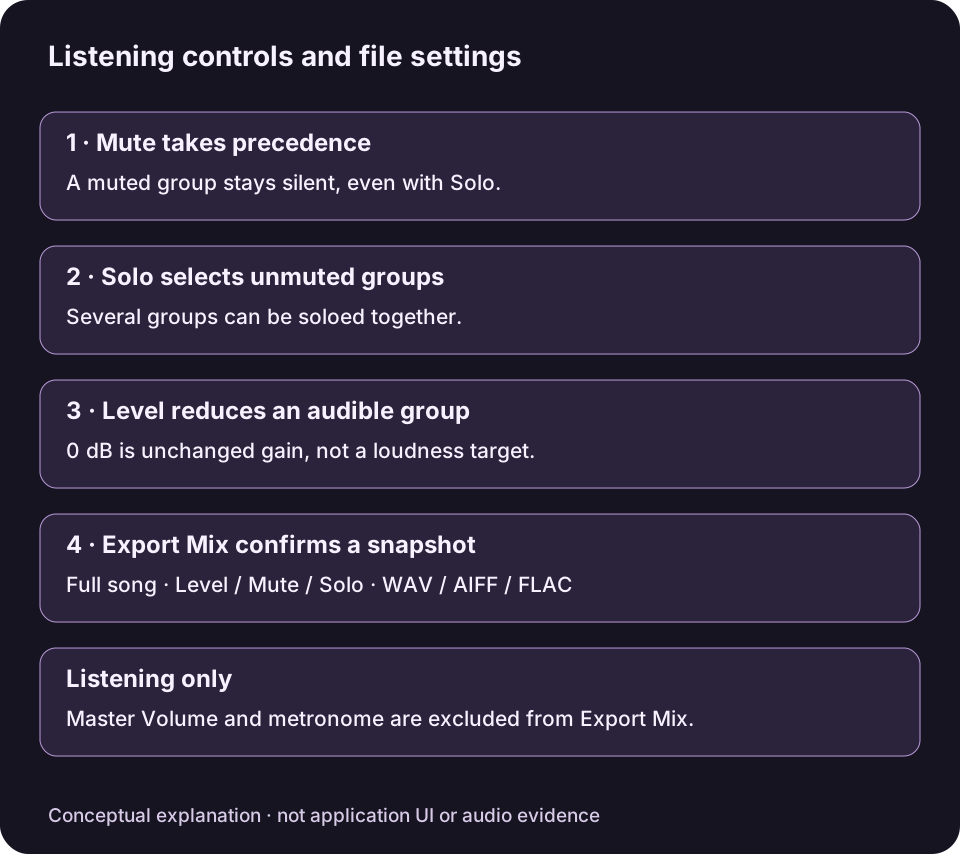
Original explanatory diagram with English control names, not an app screenshot. Export Mix uses its confirmed Level, Mute and Solo snapshot for the full song; listening-only controls are excluded.View full-size diagram ↗
The four groups are Vocals, Drums, Bass and Other. If the sound you want to lower shares Other with useful instruments, the adjustment affects that whole group.
Make one purposeful change at a time
Start with Full Mix if you want a known baseline. Applying any Practice Mix preset replaces existing Level, Mute and Solo settings, so do this before personal adjustments.
Play Mix, choose the group that competes with your practice part, and lower its Level. The range is −60 to 0 dB; 0 dB is the default contribution, not a boost control.
Leave Mute off when you want a quiet guide. If you need another part relatively more prominent, lower competing groups rather than looking for gain above 0 dB.
Compare a sparse passage and a busy passage. Clear any temporary Solo selections, then decide whether the complete balance still supplies the musical cues you need.
Use comfortable Master Volume while listening. Turning it down does not change the stem balance or lower the later exported file.
Keep the tradeoff audible
Lowering an estimated group may expose artifacts or reduce useful accompaniment along with the target sound. Do not infer a better separation simply because a remnant becomes quieter. A subtle reduction may serve the practice task better than Mute.
For example, a hypothetical rehearsal balance might retain some Vocals to guide entrances while leaving the accompaniment clear. No particular level is prescribed and no audio result was generated for this example.
Save the balance you checked
Open Export Mix… and review each included/excluded stem and its settings. Make sure a study Solo has not excluded useful accompaniment.
Choose WAV, AIFF or FLAC, confirm the destination and Export Mix. The full-song export captures Level, Mute and Solo at confirmation.
Listen to the saved file in the intended player. Later changes to the mixer require another export; the existing file is not updated.
The metronome and Master Volume are excluded. This is not a region, loop, tempo or pitch export. If clipping protection is offered, decide whether to accept the displayed uniform reduction or return to adjust stem levels.