01 / SEPARATE
Start with your audio.
Choose a local recording and create four stems: vocals, drums, bass and other instruments. No recording upload is needed for separation.
 MixSiftApp Store release pending
Local stem separation for Mac
Turn a local audio file into vocals, drums, bass and other instruments. Build a practice mix and export it, with audio processing on your Mac.
Apple Silicon M1 or later · macOS 14 or later
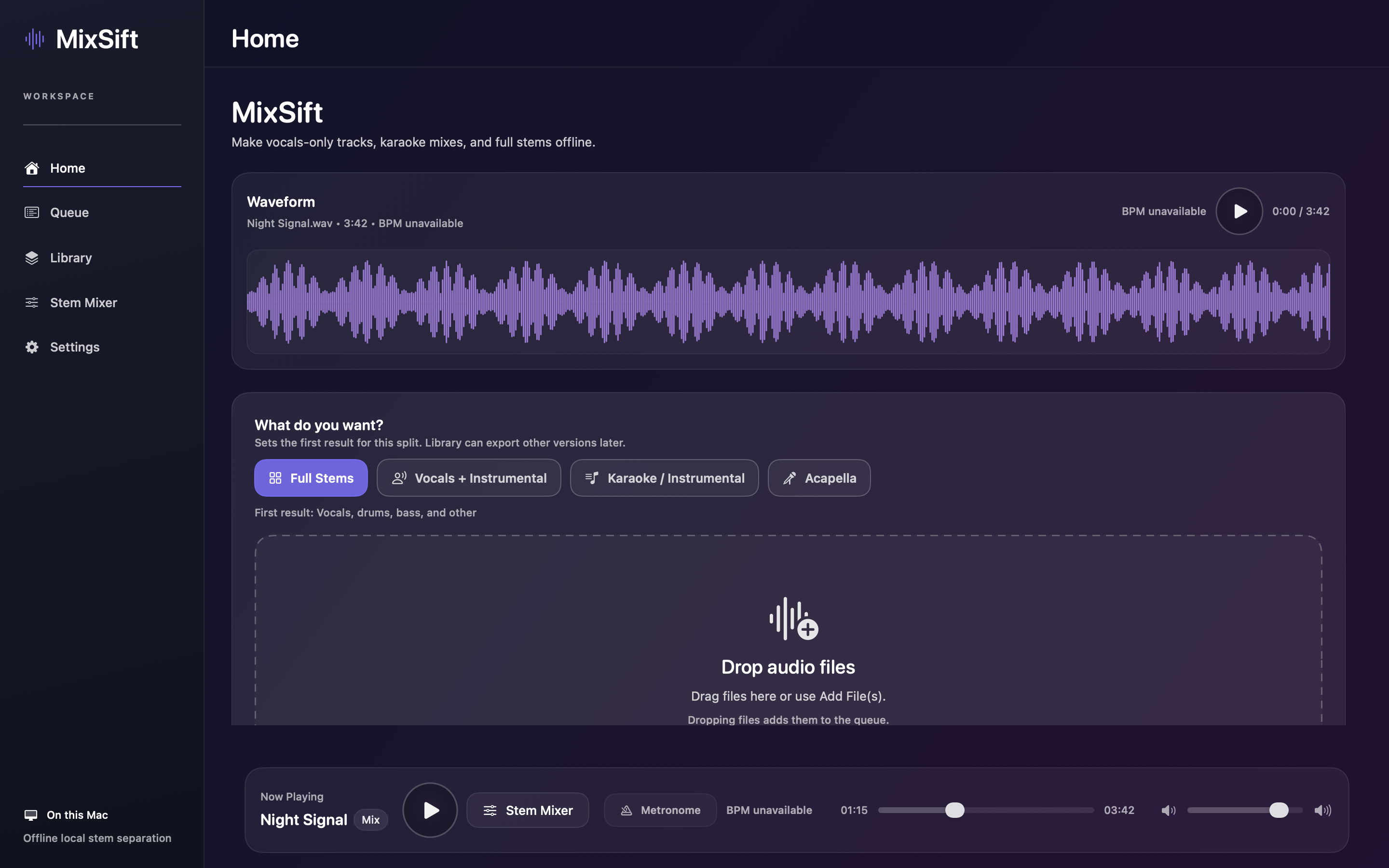
One recording. More ways to listen.
A focused workspace for separating, listening and keeping the parts you need.
01 / SEPARATE
Choose a local recording and create four stems: vocals, drums, bass and other instruments. No recording upload is needed for separation.
02 / PRACTICE
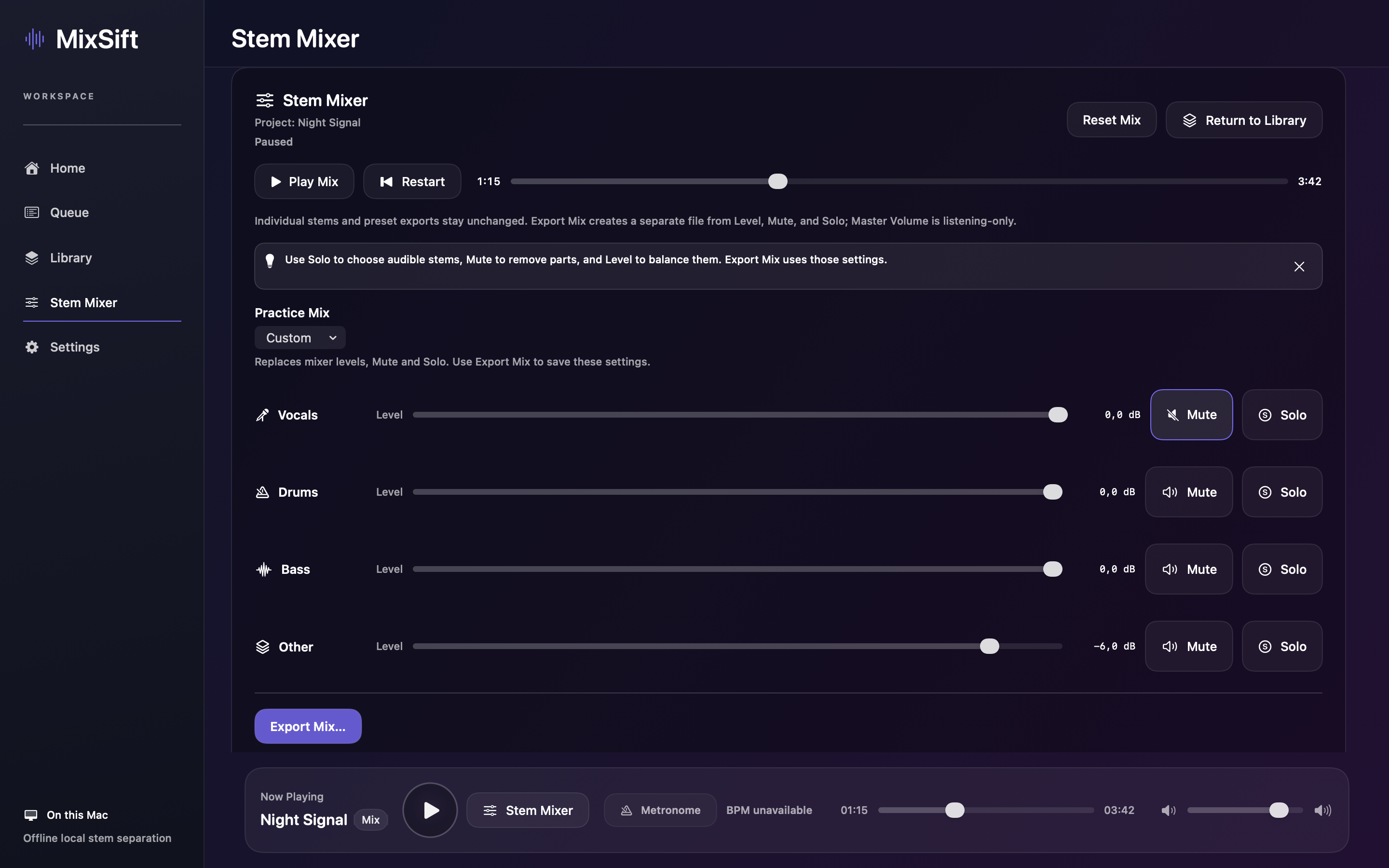
Listen to each part. Use Level, Mute and Solo in Stem Mixer, or begin with a Practice Mix preset.
03 / EXPORT
Reopen projects in your local Library. Export individual stems, or use Export Mix to save your chosen balance.
Stem Mixer
Mute the vocals to sing along, or take out drums or bass to play your own part. Adjust the balance without changing your original stems.
Export Mix saves the full song with your Level, Mute and Solo settings in WAV, AIFF or FLAC. Master listening volume and the metronome are not included.
Results vary with the recording. Bleed between stems and separation artifacts can occur. Listen before using an export in a performance or production.
A little room to play
Two successful free splits are planned. Further splitting uses MixSift Pro; the final purchase options remain under review. Current localized pricing and terms will be shown in the app before purchase.
Apple Silicon M1 or later · macOS 14 or later
Prelaunch · No download is available from this proposal.